Gym Buddy for Android

Your training log.
Finally yours.

A free lifting app. Plan your week, log every set, and it works out your next weight.

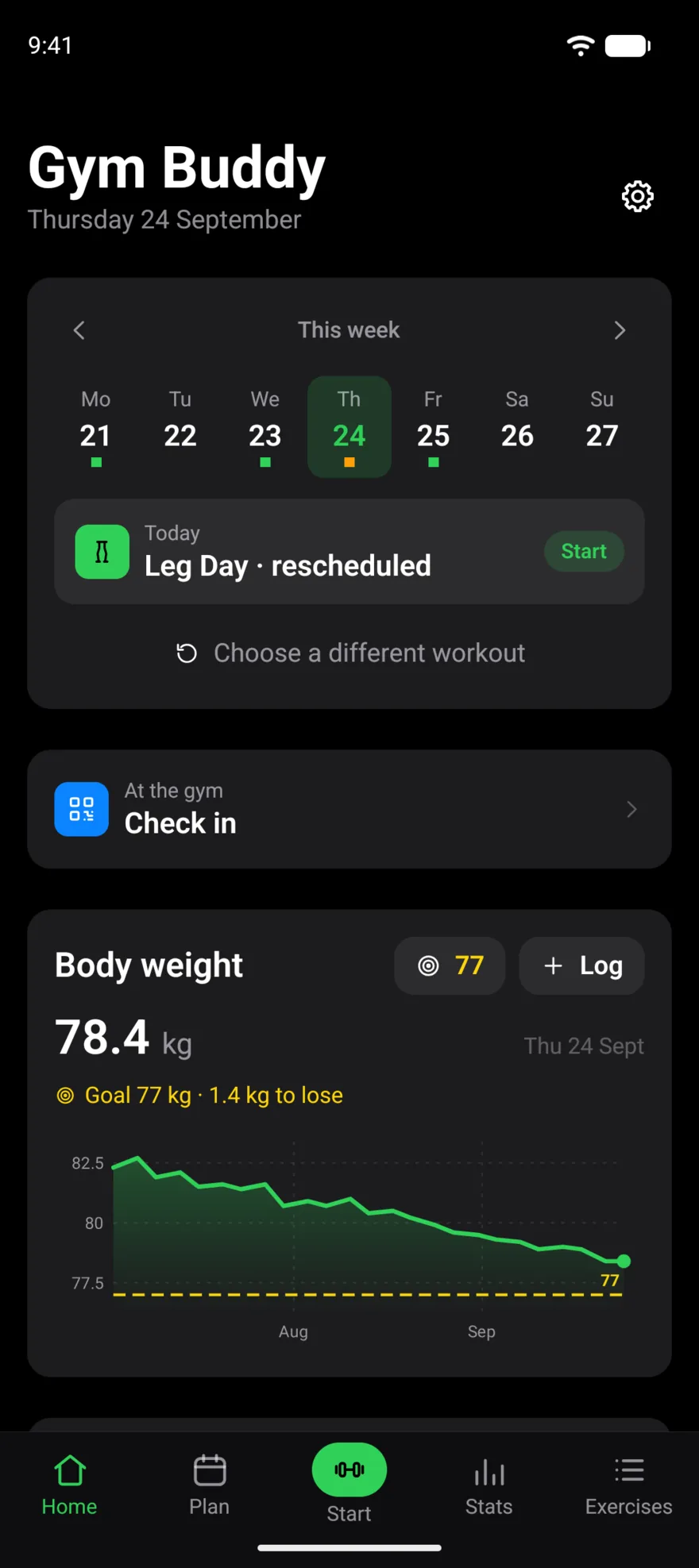
The Gym Buddy home screen: this week's training days, today's Leg Day with its first exercises and a Start button, and a check-in for the gym.

Start with a plan,
or write your own.

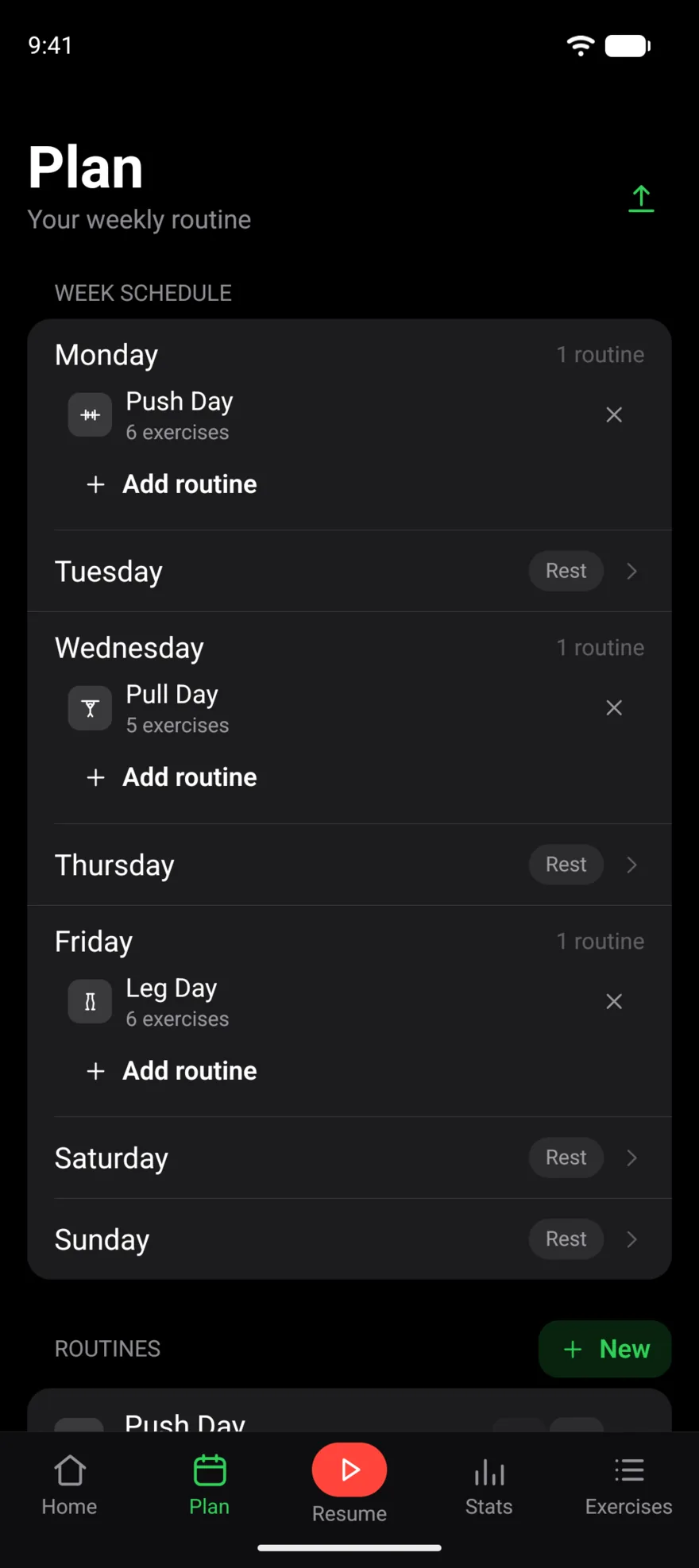
Four starter programs load in one tap: Push/Pull/Legs, Upper/Lower, Full Body and 5×5. Put any routine on any weekday, stack two on one day, pair exercises into supersets, and move a session when the week gets in the way.

The Plan screen: a week schedule with Push on Monday, Pull on Wednesday and Leg on Friday, and the three routines listed below it.

Log a set with one tap.

Weights and reps come prefilled from last time. Tick the set and the rest timer starts, with −15 s, +15 s or Skip when you're ready early.
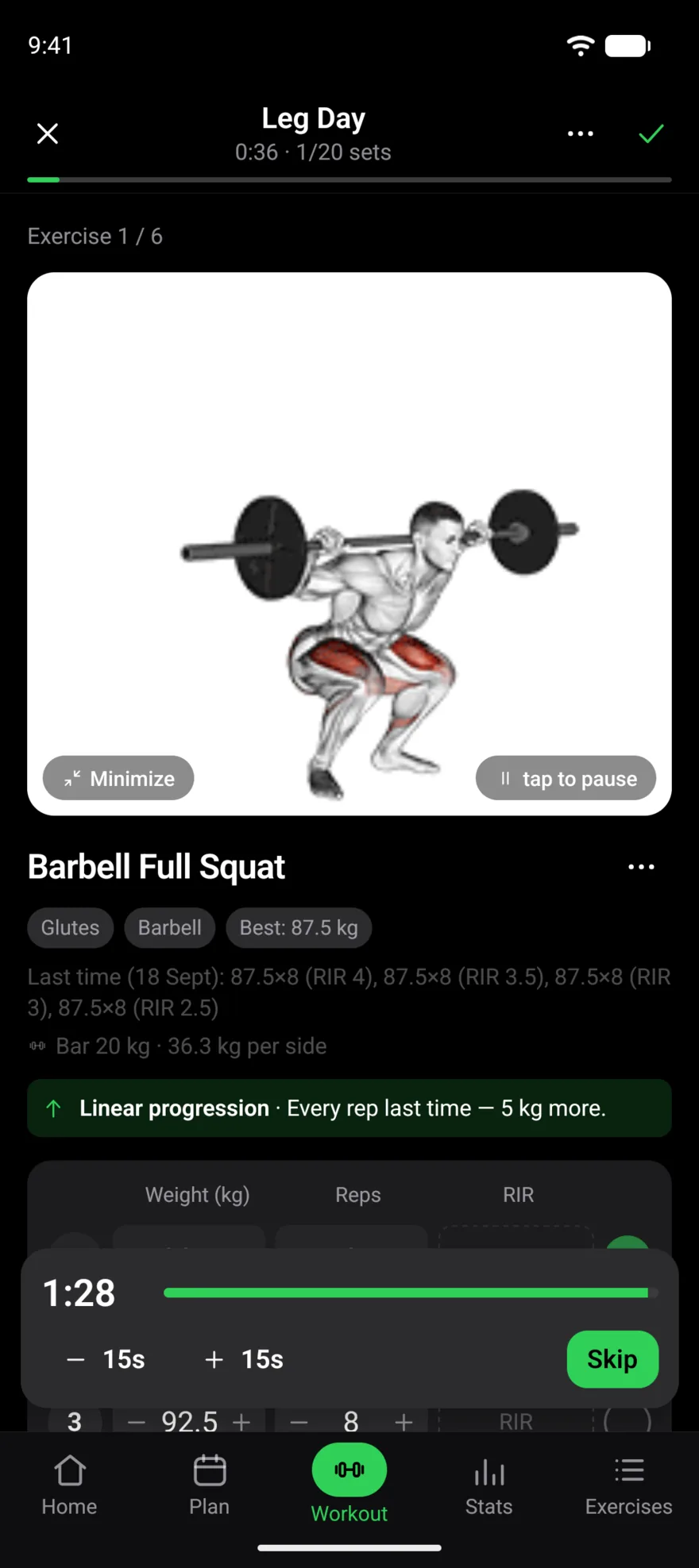
The rest timer counting down from 1:22 below the Barbell Full Squat, with the next set of 92.5 kg × 8 and −15 s, +15 s and Skip buttons.

Your next weight, already worked out.

It reads what you lifted last session, sets today's weight and tells you why. Hit every rep and the load goes up. Miss, and it holds. Keep missing, and it deloads.
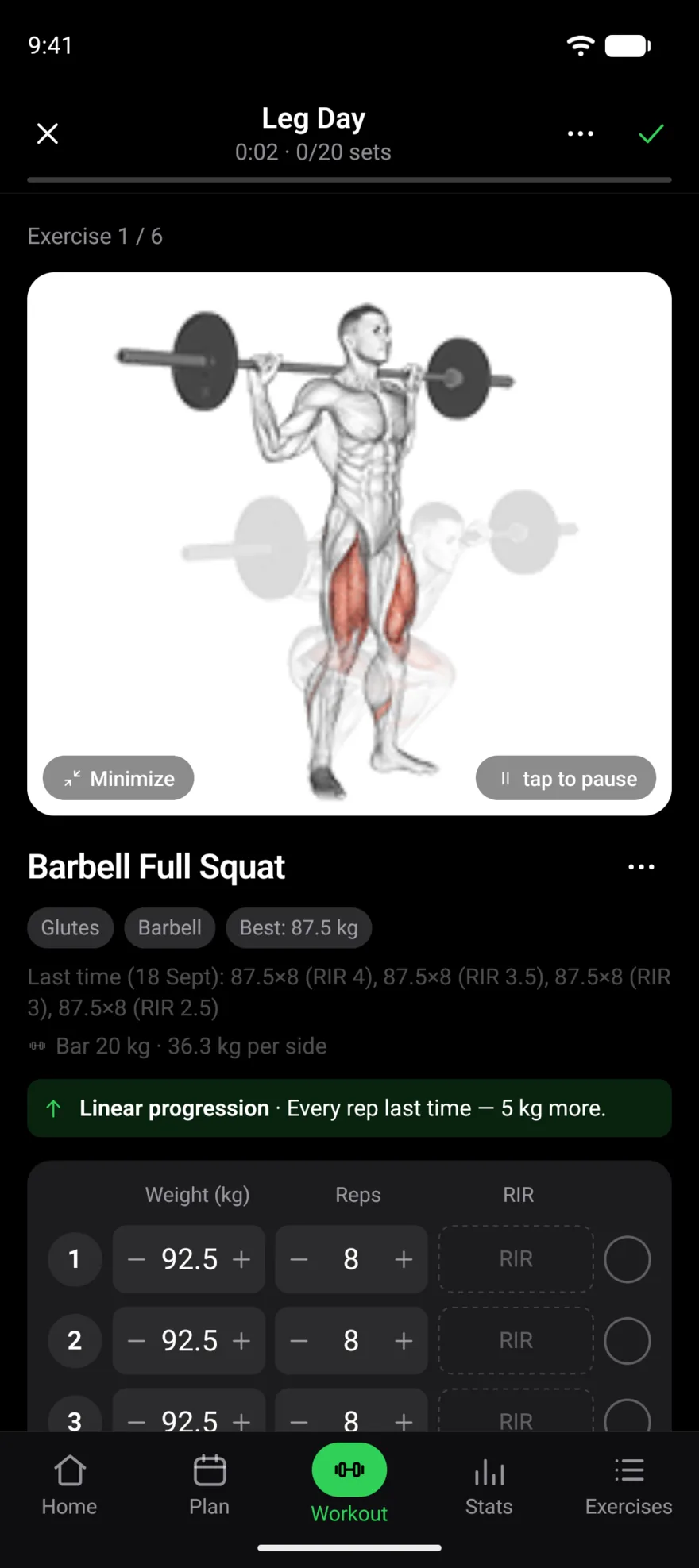
A Leg Day workout: Barbell Full Squat, last done at 87.5 kg × 8, with the note 'Linear progression: every rep last time, 5 kg more' and 92.5 kg × 8 prefilled for each set.
  • Every set type you use. Warm-ups, drop sets, rest-pause, left and right sides, timed holds and cardio.
  • Effort, if you track it. Rate sets as RIR or RPE.
  • Weigh in on the way in. A quick check-in before each workout keeps your body-weight curve honest.

Four ways to progress

  • Linear progression for steady beginner gains.
  • Greyskull LP with its AMRAP last set.
  • Double progression through a rep range before adding weight.
  • Added time for planks, holds and other timed work.

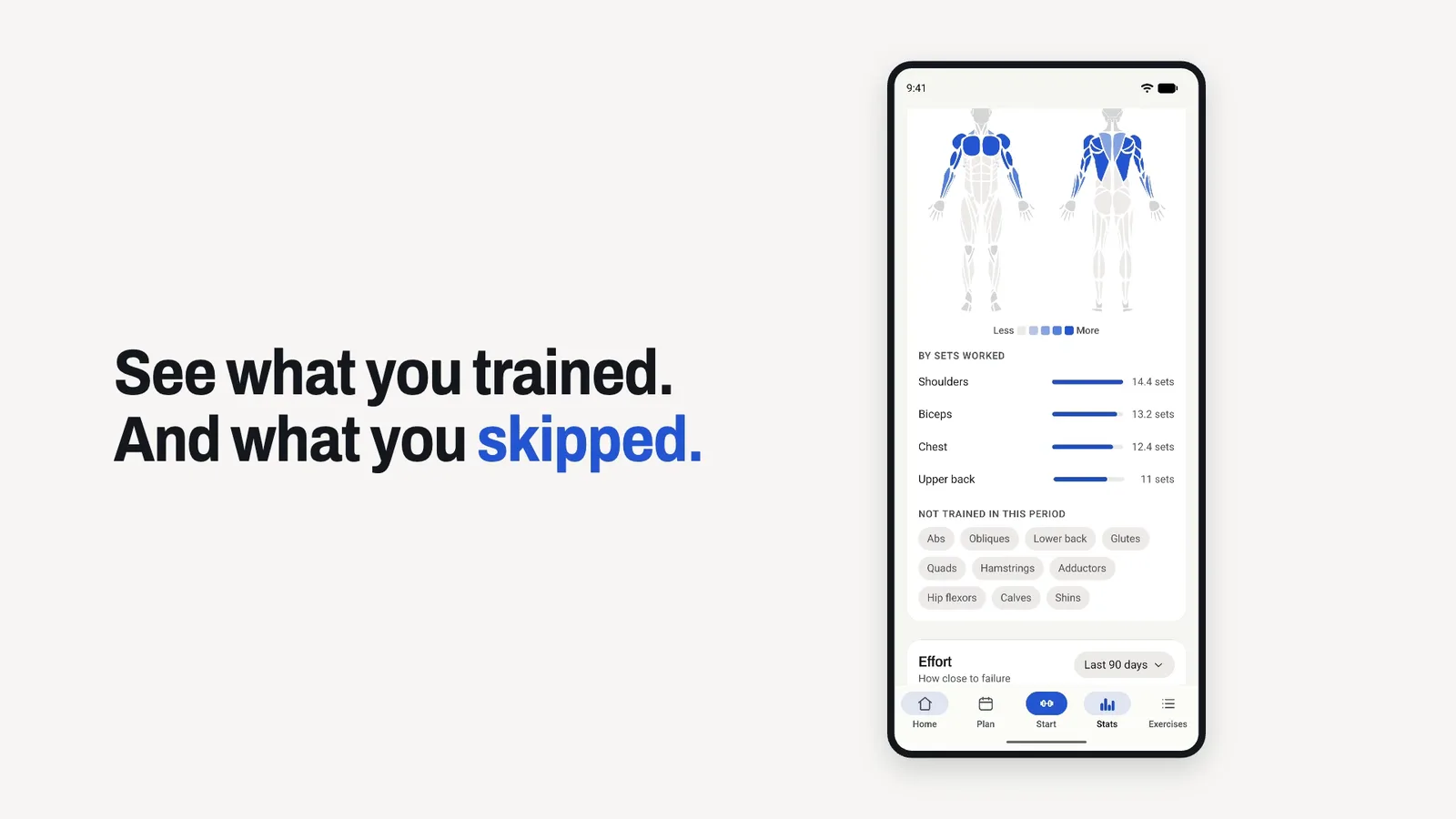
See what you trained. And what you skipped.

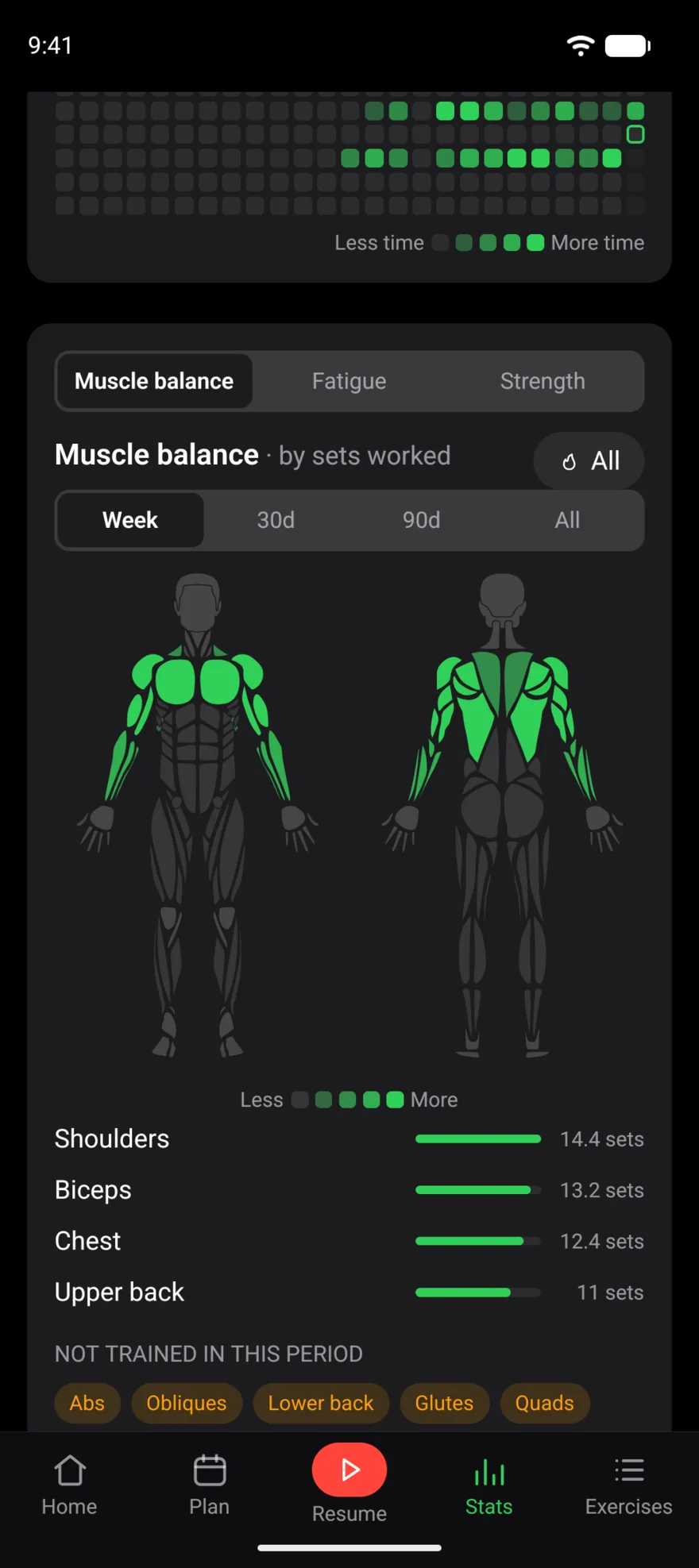
Muscle balance maps your sets onto the body, so a missed leg week shows up in grey. Switch to fatigue to see what's still recovering, or strength to see where you stand.
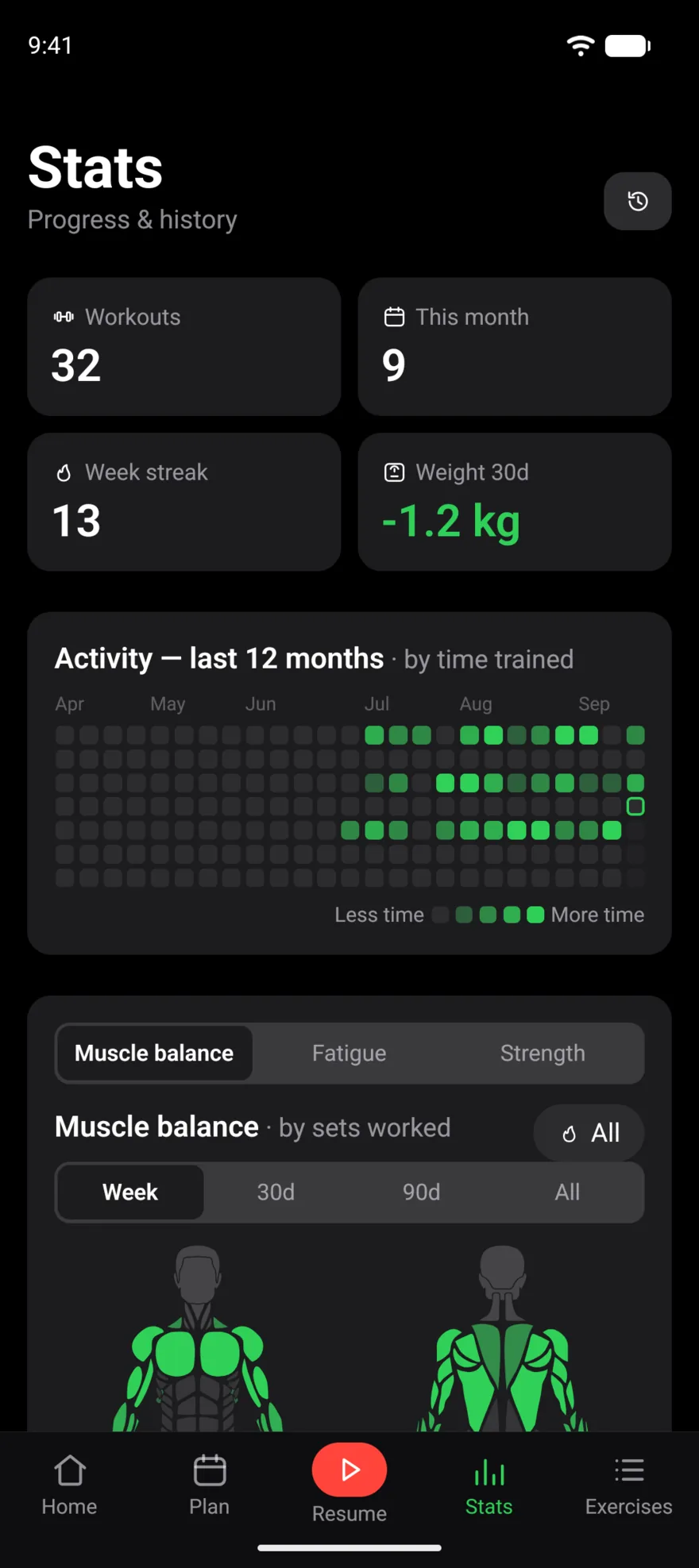
  • A year at a glance. Every training day on one activity heatmap.
  • Progress per exercise. Top sets and estimated one-rep max over time.
  • Body weight against the goal you set.
The Stats screen: this week's 2 sessions, 13,717.5 kg of volume and 36 sets, then 32 workouts, 9 this month, a 13-week streak, 1.2 kg lost in 30 days, and a 12-month activity heatmap.
Muscle balance for the week on a front and back body map: shoulders, biceps and chest shaded darkest, sets per muscle listed below, and the untrained muscles, legs among them, in their own group.

1,324 exercises, each one animated.

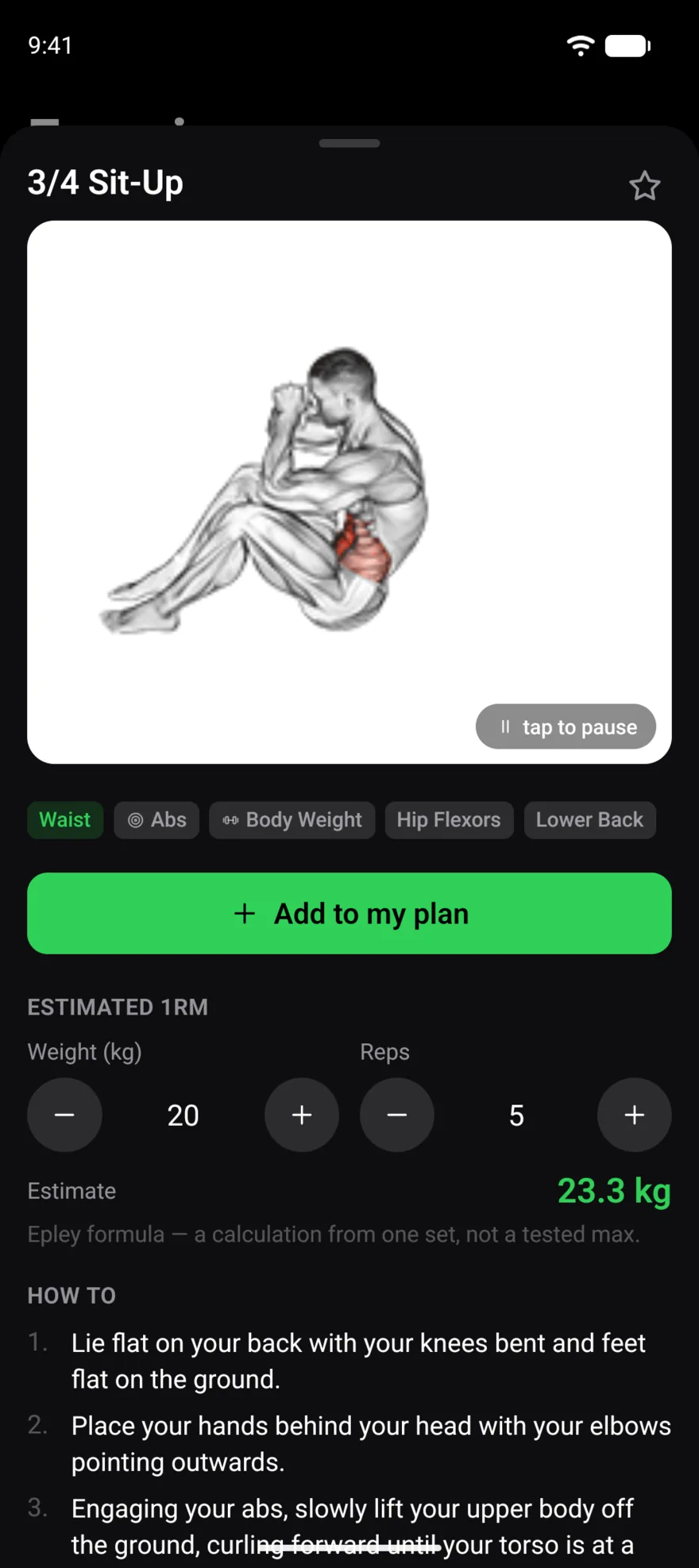
Search by name, filter by body part or by the equipment you own, or pick a muscle and see everything that trains it. Every exercise has an animation, step-by-step instructions and a one-rep-max calculator. Missing one? Add your own.
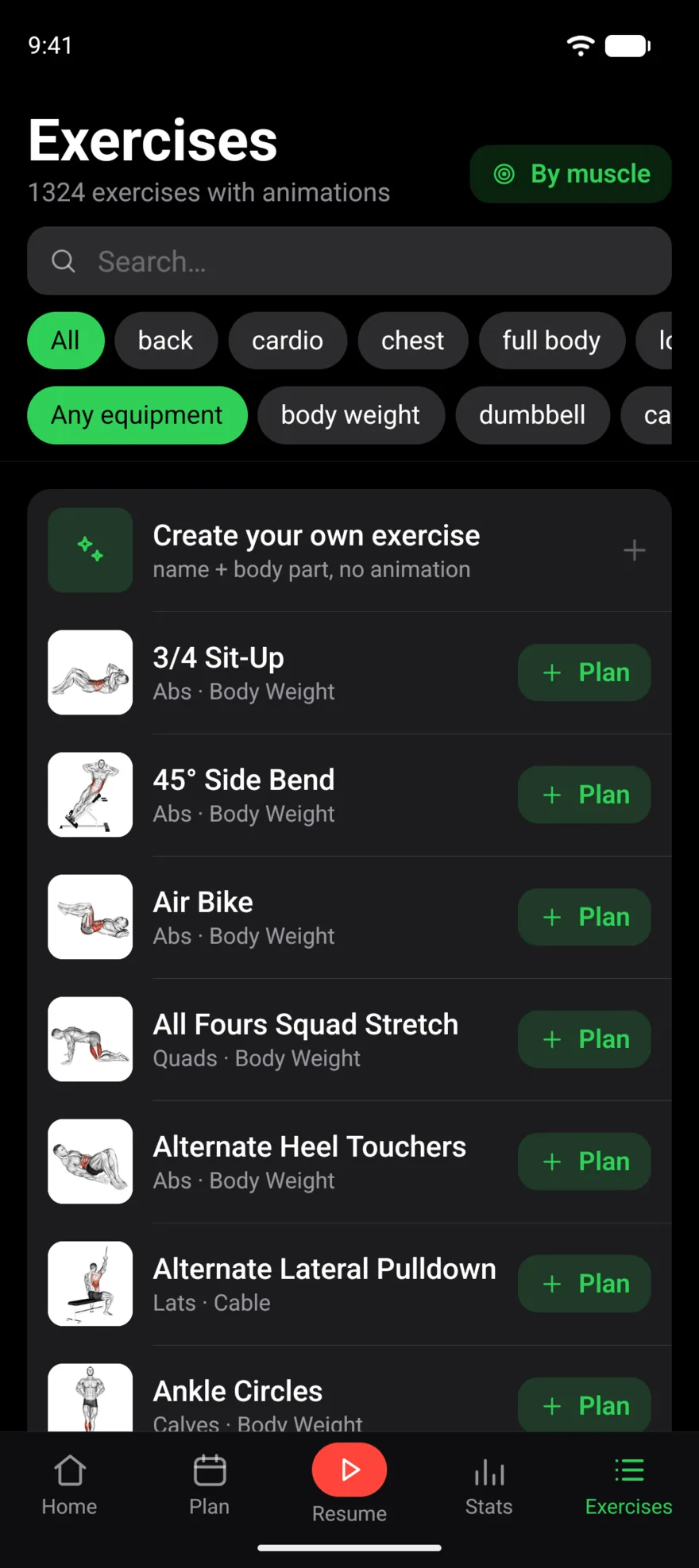
The exercise library: a search field, equipment and body-part filters, and a list of exercises with thumbnails and an add button on each.
An exercise page for the Barbell Bench Press: the estimated one-rep max from your log, a weight and reps calculator, and seven numbered how-to steps.

The whole app in 60 seconds.

Your data stays on your phone.

  • No account. There's nothing to sign up for and nothing to sign in to.
  • No ads, analytics or trackers. Gym Buddy doesn't report what you do to anyone.
  • Your log is a file you control. Export it as JSON any time, or turn on auto-backup to a folder you sync.
  • Coming from another app? Import your history from Strong, Hevy or FitNotes.
  • Works offline. Exercise animations load from a public image CDN when you view them; nothing about you is sent with those requests.

Read the privacy policy

Get Gym Buddy.

Gym Buddy is in its public beta on Google Play: free, open to anyone, and the full app. Getting it takes three taps.

  1. Join the testers group

    Open to everyone. Join with the Google account you use on your phone.

    Join the group
  2. Become a tester

    One tap on Google's opt-in page, with the same account.

    Opt in
  3. Install from Google Play

    Gym Buddy now shows up on Google Play for you, and updates like any other app.

    Open Google Play

Free. Needs Android 7.0 or later and a Google account.

Questions

Is it really free?

Yes. There are no ads, no subscription and no in-app purchases.

Which permissions does it ask for?

Two, and only when you use the feature: the camera to scan a gym membership card, and notifications for workout reminders and the rest timer.

Why join a beta?

Google asks new apps to run a public test before they go live to everyone. Gym Buddy is fully usable during it: join the testers group, opt in, and install from Google Play like any other app. When the test ends you stay on the same install and keep updating normally.

What happens to my data if I lose my phone?

Your log lives only on your phone, so keep a copy. In Settings you can export a backup file, or turn on auto-backup to write one to a folder that your cloud-sync app of choice picks up. Importing that file on a new phone brings everything back.

Can I bring my history from another app?

Yes. Gym Buddy imports CSV exports from Strong, Hevy and FitNotes, and can pull your Hevy history directly with a Hevy Pro API key.

Is there an iPhone version?

Not yet. Gym Buddy is Android-only for now.

Which languages does it support?

English, German (with a Swiss variant), Spanish, French, Italian, Portuguese (Portugal and Brazil), Polish, Turkish, Russian, Chinese, Korean, Hindi, Thai and Hungarian.

Is Gym Buddy open source?

Yes. It's free software under the GNU AGPL 3.0, built on the open-source openGym project.